

Rare Cats Guide
Discover rare cats in CatchCat APK. Learn what makes a cat rare, where rare discoveries happen, how AI recognition helps, and how rare entries complete your collection.
Learn how offline play and mobile data work in CatchCat APK. Discover what you can do without a connection, how syncing behaves, and how to manage data use while exploring.
Table of Contents
CatchCat APK is built around the real world, and the real world does not always offer a perfect connection. Parks, rural lanes, and older neighbourhoods regularly produce great cats and weak signals at the same time, so understanding offline behaviour protects your discoveries.
Most exploration-driven play tolerates a dropped connection gracefully, because the camera and recognition work happens around you in the moment, while heavier account and syncing tasks wait for a stable link. For the full overview, see CatchCat APK for Android.
This guide explains what to expect offline, how to avoid losing progress, and how to keep mobile data use sensible during long exploration sessions.
Core exploration habits work anywhere: walking routes, spotting cats, and framing careful scans do not depend on a strong signal in the moment.
Features tied to accounts, cloud records, or fresh content are the ones most likely to pause until you reconnect, so treat an offline session as exploration first and administration later.
If something appears unavailable offline, note the discovery spot and finish the step when you are back in coverage rather than abandoning the encounter.
Usually fine offline:
When a connection returns, the app reconciles what happened offline with your saved progress. Give that process a calm moment on a stable connection instead of opening and closing the app repeatedly.
Avoid switching devices or reinstalling while a backlog of offline activity is still waiting to sync. A single clean sync prevents almost every progress confusion.
After a long offline trip, reconnect on Wi-Fi, open the album, and confirm recent entries appear before your next session.
Exploration play is lighter on data than video or social apps, but background services quietly add up across a long walk. Restrict unrelated background data before a session so your connection budget serves the game first.
Downloading or updating large files should wait for Wi-Fi. Nothing about a good cat requires a half-finished update competing for bandwidth.
Check your data usage weekly during heavy play periods and adjust habits before limits surprise you. Our Android Compatibility Guide is worth a read alongside this section.
Weak signal drains battery quickly because the phone keeps searching for a stronger connection. On rural routes, this drain, not the game itself, often ends sessions early.
Carry a small power bank on planned long explorations, and lower screen brightness in bright sun only as far as framing still allows.
Tell someone your route on genuinely remote walks. Offline play is fun; offline and unreachable is a planning failure.
If entries seem missing after an offline session, first reconnect properly and wait. Most apparent losses are simply unsynced records still settling.
Restart the app once on a stable connection if the album looks stale, and avoid clearing app data, which can complicate recovery.
Persistent problems after a clean sync deserve the same calm checklist as any other error: update, restart the device, and review permissions. For more detail on this, see our Camera Permissions and Troubleshooting Guide.
Offline resilience keeps the CatchCat loop alive everywhere cats actually live, not only under perfect urban coverage.
Plan for weak signal the way you plan for weather, and no discovery needs to be lost to a dead zone again.
Explore widely, sync calmly, and let your album grow from every corner of the map.
Offline play in CatchCat APK is entirely workable with a little planning: explore and scan as normal, protect unsynced progress, reconnect calmly on a stable connection, and manage data and battery on long routes. Handled this way, weak signal becomes a minor detail of the walk instead of a threat to your collection.
Download CatchCat APKDiscover rare cats in CatchCat APK. Learn what makes a cat rare, where rare discoveries happen, how AI recognition helps, and how rare entries complete your collection.
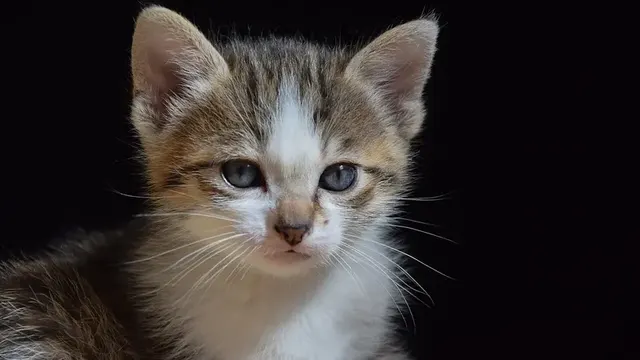
Improve your cat spotting in CatchCat APK. Learn where cats rest, how to read body language, the best times to explore, and how to approach without scaring discoveries away.
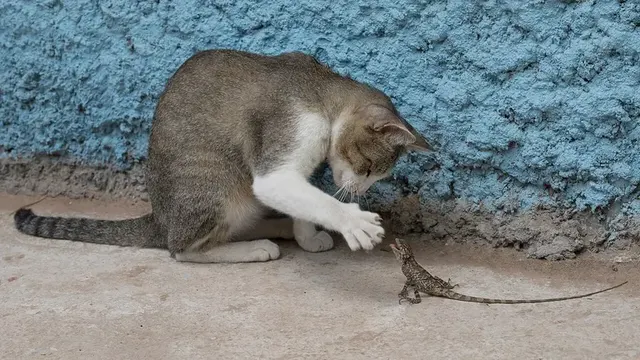
Get cleaner AI recognition results in CatchCat APK. Learn how lighting, distance, angles, and a steady camera improve breed identification and collection accuracy.